Skip to content
Free • Works with every TV

The Universal Smart TV Remote App for Every TV

AnyRemote is a free TV remote app that turns your phone into a universal remote for Samsung, Roku, TCL, Android TV, Fire TV, LG, Sony and more. Connect over WiFi and control your Smart TV in seconds — no original remote needed.
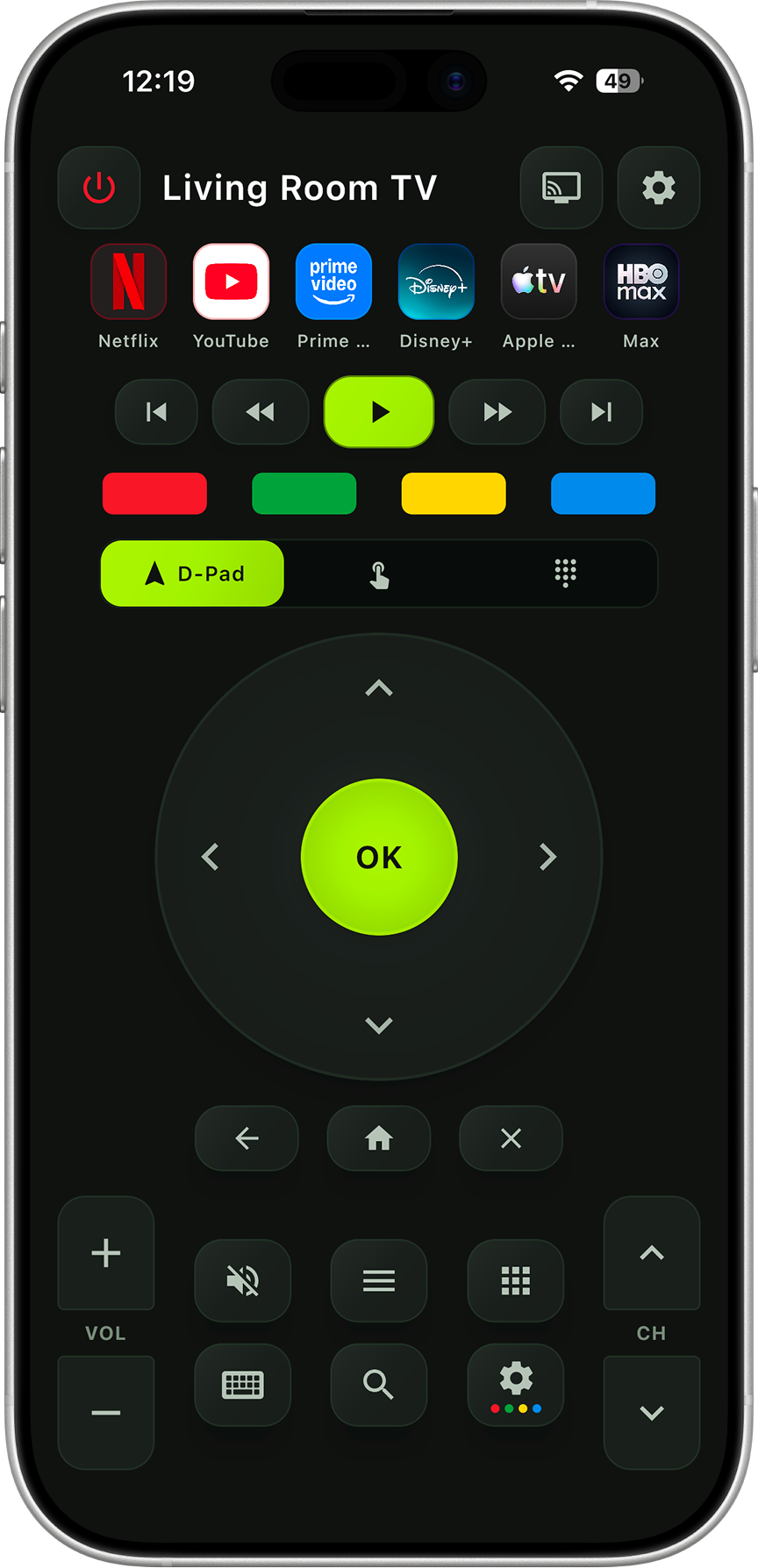
AnyRemote app showing the smart TV remote control interface on a phone

Works with all your Smart TVs & streaming devices

SamsungRokuTCL Android TVGoogle TVLG webOS Sony BraviaHisenseVizio PhilipsFire TVChromecast

Everything your original TV remote does — and more

One universal remote app that replaces every TV remote in your home — packed with the smart TV controls you actually use.

Full Button Control

Volume, channels, mute and every essential button of your original remote.

Turn TV On / Off

Power your Smart TV on and off instantly straight from your phone.

D-Pad Navigation

Move through TV menus and apps quickly with a responsive directional pad.

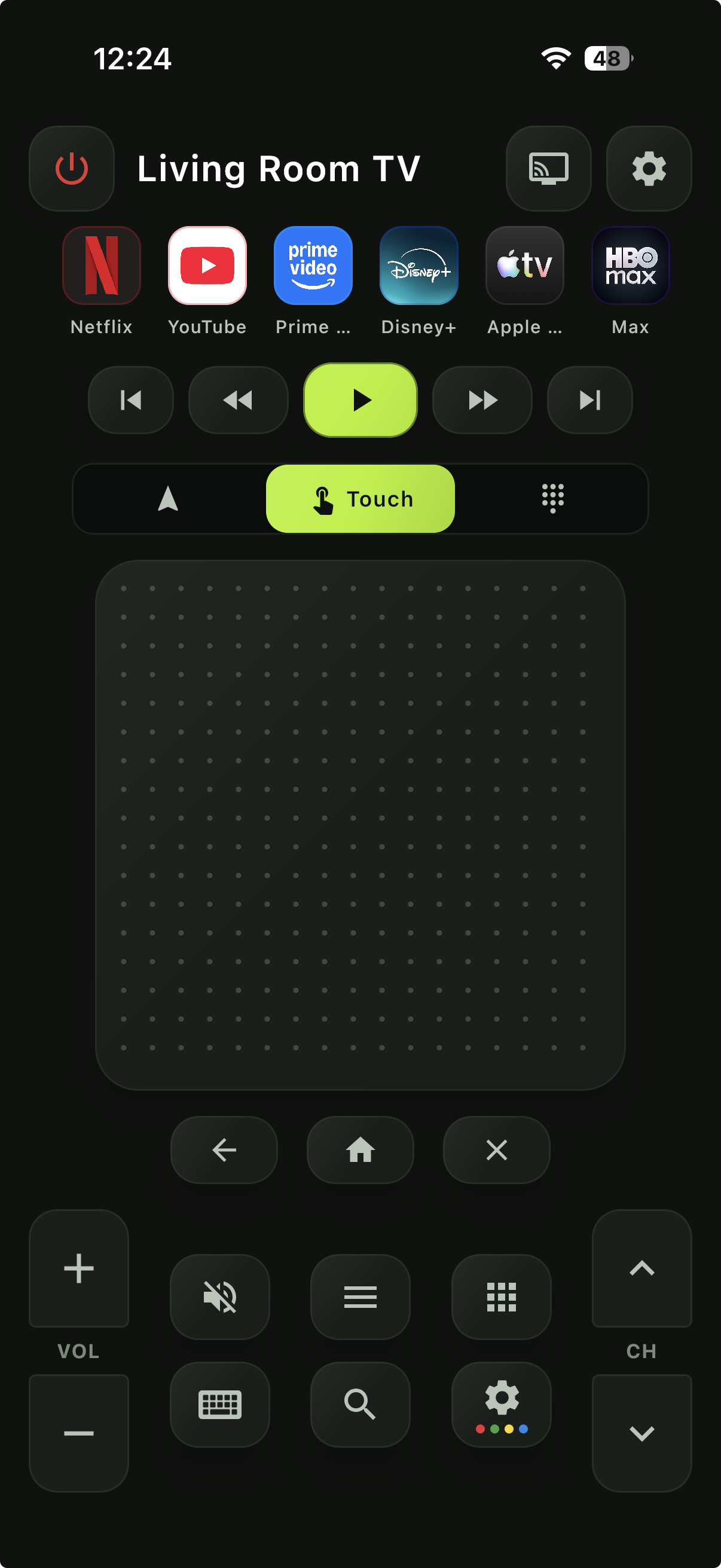
Smooth Touchpad

A highly responsive touchpad for effortless navigation — even gaming on your TV.

Playback Controls

Play, pause, rewind and fast-forward your content with ease.

Keyboard Input

Type search terms and logins from your phone instead of the on-screen keyboard.

Voice Control

Search and command your TV with your voice for a faster, hands-free experience.

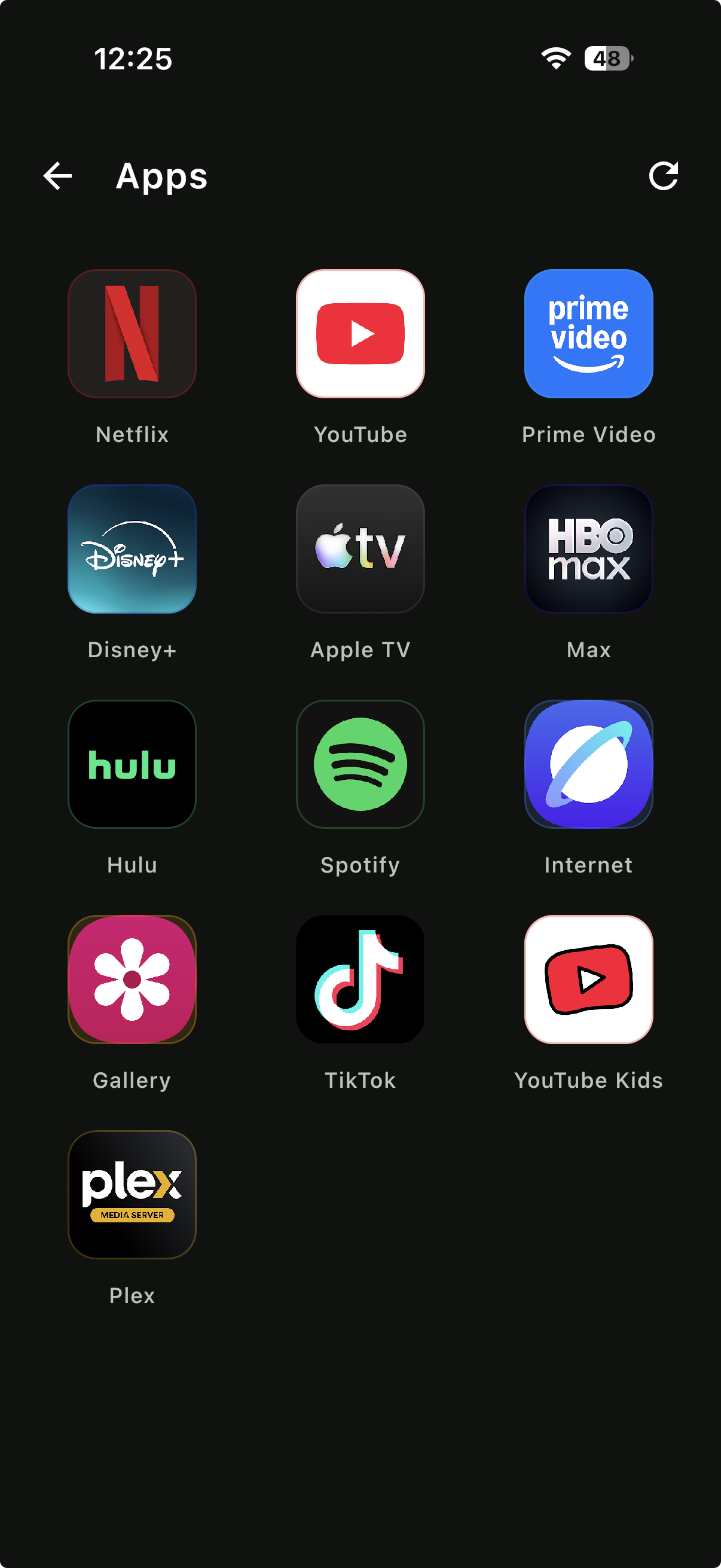
App Launch Buttons

Open your favorite TV apps instantly with a single tap.

Screen Mirroring

Mirror your phone's screen on your TV and enjoy content on a bigger display.

Use your phone as a TV remote in under a minute

No pairing cables, no accounts. Just connect over WiFi and start controlling your Smart TV.

  1. 1

    Connect your phone and Smart TV to the same WiFi network.

  2. 2

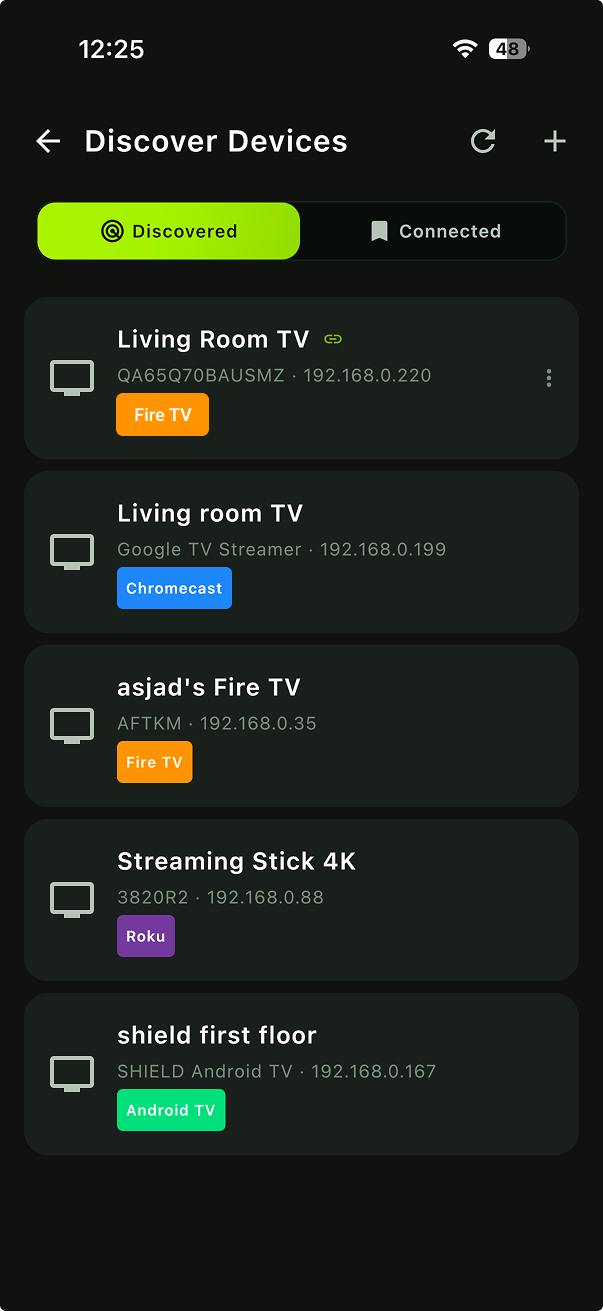
    Open the app and tap to scan for available devices nearby.

  3. 3

    Select your TV or streaming device from the list.

  4. 4

    Allow the connection on your TV screen if prompted.

  5. 5

    Start controlling your TV instantly — it's that simple.

See the TV remote app in action

A clean, fast smart TV remote interface designed for one-handed control.
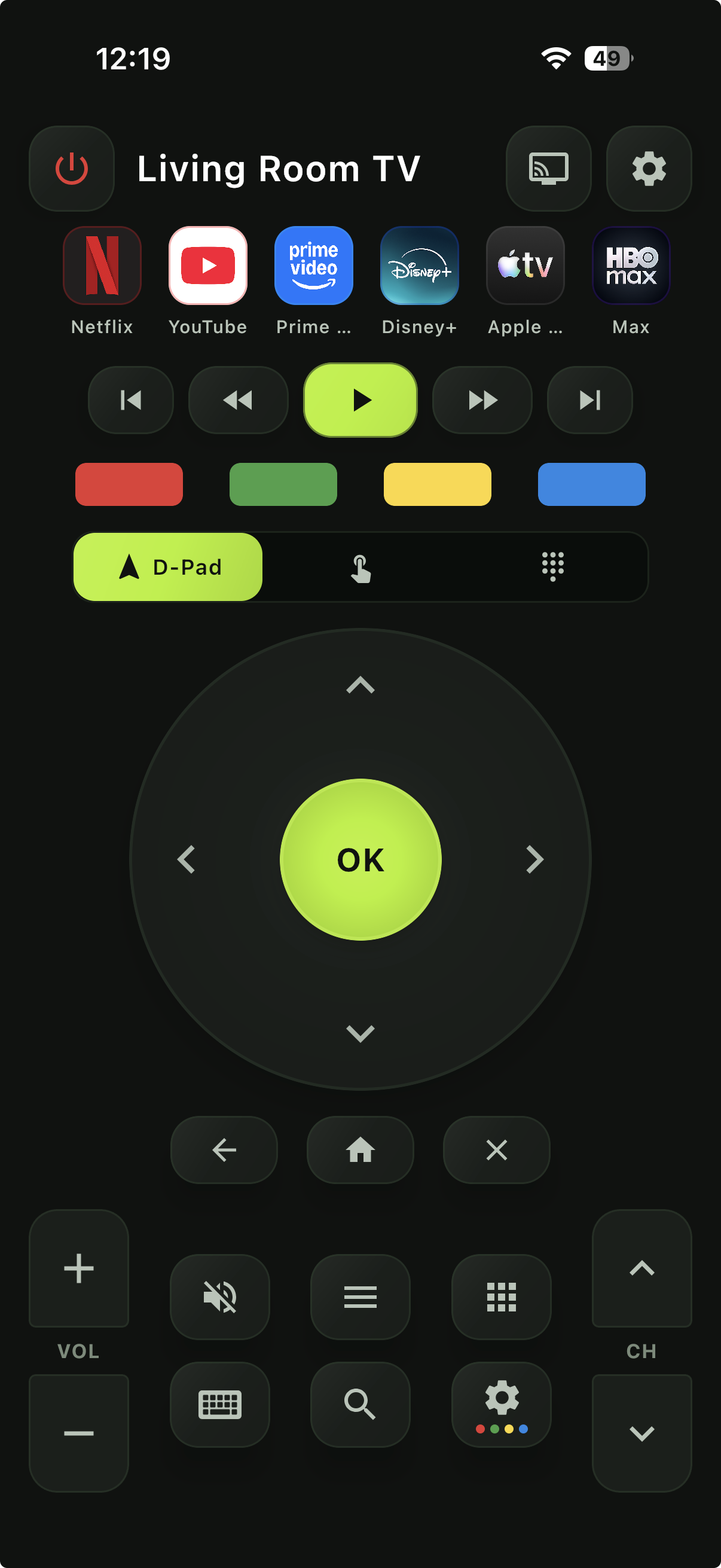
AnyRemote remote control screen with playback and volume controls
Remote control
AnyRemote touchpad screen for swipe navigation
Touchpad
AnyRemote app launcher showing Netflix, YouTube, Prime Video, Disney+ and more
App launcher
AnyRemote device discovery screen listing detected Fire TV, Chromecast, Roku and Android TV devices
Discover devices

Frequently asked questions

Yes. AnyRemote is a free TV remote app and works with all major TV brands from a single app.
AnyRemote works with Samsung, Roku, TCL, Android TV, Google TV, LG (webOS), Sony Bravia, Hisense, Vizio, Philips and more — plus streaming devices like Fire TV Stick, Chromecast and Roku sticks.
Yes. AnyRemote turns your Android phone or iPhone into a full universal TV remote with buttons, a D-pad, touchpad, keyboard and voice control.
Yes. Connect your phone and your Smart TV to the same WiFi network, then scan for and select your TV to start controlling it.
Yes. AnyRemote works as a Samsung TV remote, LG (webOS) remote and Sony Bravia remote, as well as a Roku, Fire TV, Android TV and Google TV remote — all from one app.
Absolutely. AnyRemote replaces your lost or broken remote with full button control, a D-pad, touchpad, keyboard input and voice control right from your phone.
Yes. You can cast photos and videos from your phone to the big screen and mirror your phone's screen on your TV.

Take control of your TV today

Download AnyRemote and turn your phone into a free universal remote for all your TVs and streaming devices.